Debt payoff tracker app for iPhone
See the day you’ll be debt-free. Add your debts once. DebtFree shows your payoff date, tells you what to pay this month and moves the date every time you log a payment.
- Free for up to 3 active debts
- No account and no bank login
- Snowball, avalanche and payment reminders

Free on the App Store for iPhone, iOS 17.0 or later. Premium is optional.
What you get
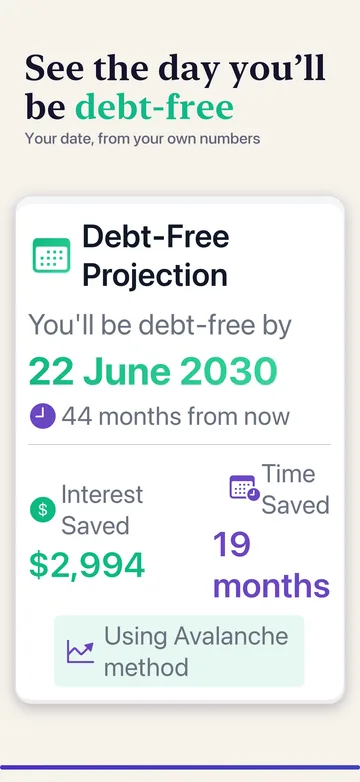
A date, not a guess
Your debt-free date, interest saved and time saved, from the numbers you enter.
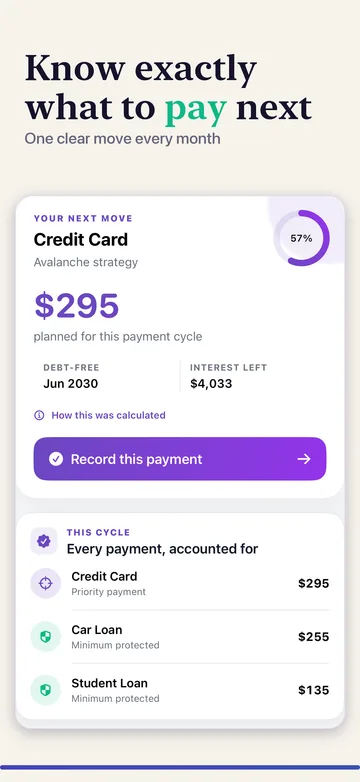
What to pay next
One clear amount for this payment cycle, with every minimum accounted for.
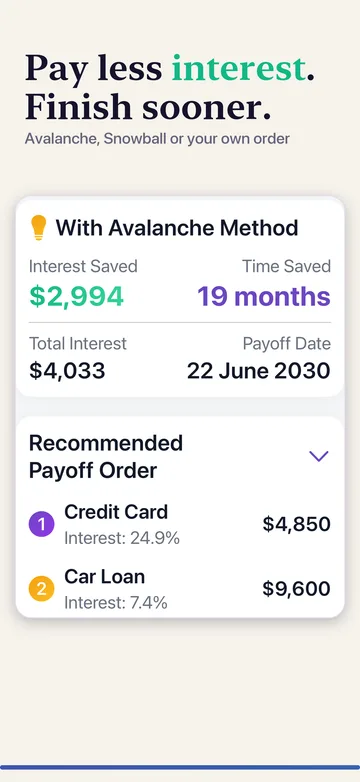
Snowball or avalanche
See the payoff order and total interest under each method before you choose.
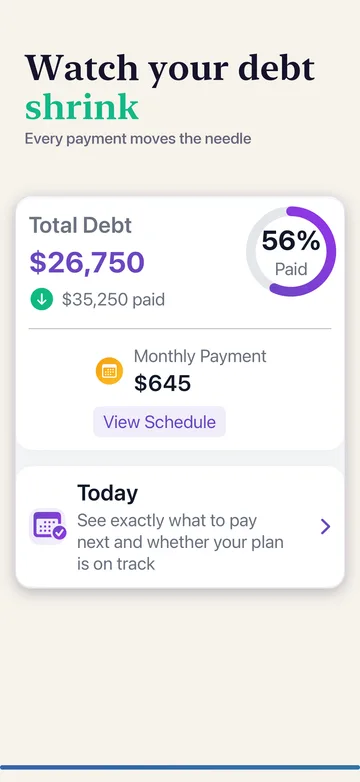
Progress you can see
Total paid, percentage cleared and the balance still to go.
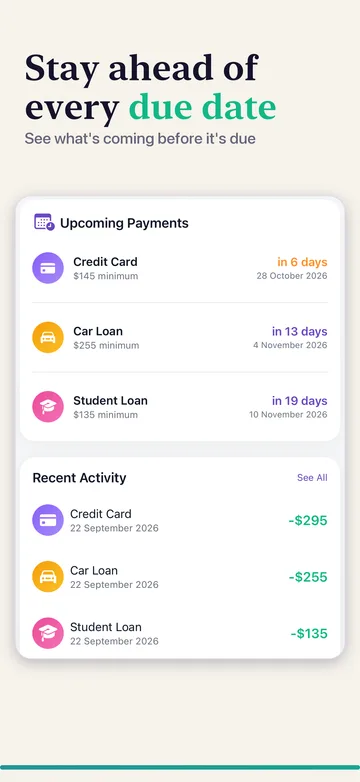
Due dates in one list
Upcoming payments and recent activity, with reminders before each due date.
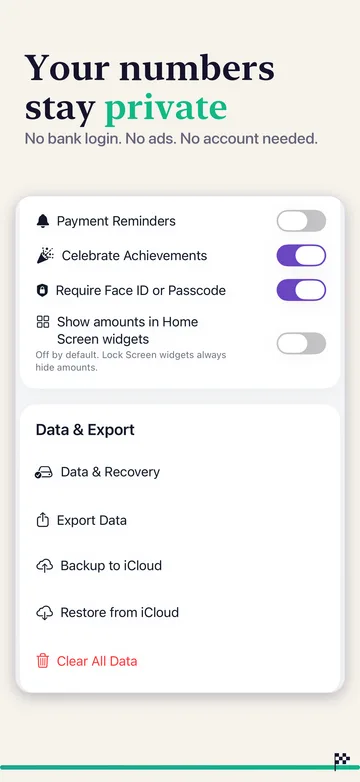
Private by default
Records stay on your iPhone. Face ID lock and manual iCloud backup are included.
A plan you can keep up with
A calculator answers a question about today’s numbers. DebtFree keeps your debts and payment history together, so the plan is still there after the next statement. You pay your lender the usual way and record the payment in the app; your debt-free date updates.
What is free, and what needs Premium?
Free
- Track up to 3 active debts. Paid-off debts stay in your history without using a slot.
- Compare snowball and avalanche plans and see your debt-free date.
- Record payments, follow your progress and set payment reminders.
- Back up to your own iCloud account and restore manually.
Premium
- Track as many active debts as you need.
- Set your own payoff order.
- Test an extra payment, save scenarios and plan around paydays.
- Open advanced analytics.
- Add debts from a statement photo, PDF or CSV, read on your device.
- Export your records and add Home Screen widgets.
Features as listed for version 2.0 on the US App Store, checked 14 November 2026. Prices and any free trial are shown in the app before you buy. Existing users keep their earlier free allowance.
From your latest statement to your next payment
Start with current balances
Add a card or loan with its current balance, contract rate and required payment. Use the same statement period where possible. A payment due and a total outstanding balance are different amounts.
Compare a repayment order
Snowball targets a smaller balance first. Avalanche targets the higher interest rate. Check the projected date and interest under the same budget; a forecast is an estimate, not a lender payoff quote.
Record what happened
Pay your lender through your usual channel, then record the payment in DebtFree. Compare the next statement with the plan and update a balance if fees, timing or new borrowing changed it. A reminder is not an automatic payment.
Your records stay under your control
Your financial records are stored on your iPhone by default. You do not need a DebtFree account or a bank login, and the app has no third-party ads or tracking. Manual iCloud backup and restore use your own Apple account and are included without Premium. They are not continuous sync, so check which backup you are restoring first.
Read the app privacy policyWebsite calculator or iPhone app?
| Task | Free website calculators | DebtFree for iPhone |
|---|---|---|
| Try a repayment idea | Enter values for a browser estimate. | Keep a plan and return to it. |
| Keep a payment history | No saved website account. An ordinary reload resets inputs. | Record payments and update your tracked balances. |
| Back up a plan | Export a schedule or copy a share link yourself. | Manual iCloud backup and restore, included free. |
| Send money to a lender | No. | No. Pay through your usual lender channel. |
Questions before downloading
Is DebtFree really free?
Yes, for up to 3 active debts, with snowball and avalanche plans, payment records, reminders and manual iCloud backup. Premium is optional and adds unlimited debts, a custom payoff order, extra-payment scenarios, statement import, advanced analytics, exports and widgets.
Do paid-off debts count toward the free limit?
No. The limit applies to active debts. Paid-off debts remain in your history without using an active slot.
Do I need Premium for iCloud backup?
No. Since version 2.0, manual iCloud backup and restore are available without Premium. They use your personal iCloud account and do not continuously synchronize devices.
Does the website move my calculation into the app?
No. The download link opens the App Store; it does not transfer your calculator inputs. Add and check your balances in the app.
Does DebtFree pay my bills or connect to my bank?
No. You make payments through your lender or bank and record them in DebtFree. The app does not require a bank connection.
Is export free in the app?
App exports require Premium. The website calculators have their own free CSV and print controls; those do not unlock an app purchase.
Will the payoff date match my lender exactly?
Not necessarily. Your rate, payment timing, fees and the lender’s interest method can change the result. Check the projection assumptions and use a lender payoff quote for an exact settlement amount.
Questions about your plan or the app?
Contact support with your app version, language and a short description of the problem. For a calculation question, use invented balances. Do not send account numbers, statements or bank credentials.
Contact DebtFree supportTry the numbers before you download
The browser calculators are free and work without an account. Compare a plan first, then keep it going in the app.
Educational estimates only. Not personalized financial, legal or tax advice.